What Does an End-to-End AI Workflow Look Like in Practice?
Prachi Wadhwa
Author
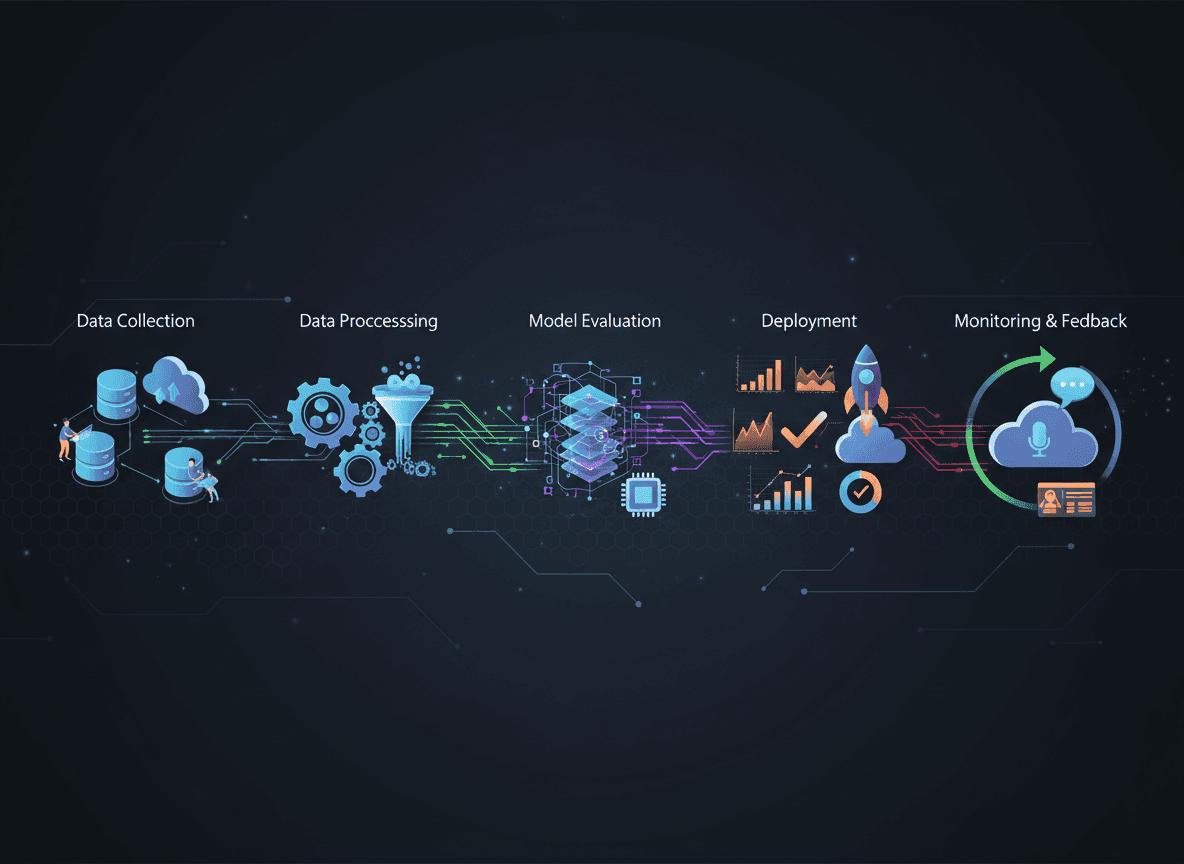
Theory is useful. But understanding how AI workflow automation actually functions requires seeing it in action—watching how the pieces connect and recognizing the orchestration that makes everything work seamlessly.
Let’s deconstruct a real-world implementation: an enterprise SaaS company’s customer onboarding workflow. This is a production system handling hundreds of new customers monthly, managing real complexity, and delivering measurable business results.
Previously, onboarding required 5–7 days and multiple hand-offs. The AI workflow now completes most onboardings in under 24 hours with higher accuracy and better customer satisfaction.
The Business Process: Customer Onboarding
What the Workflow Accomplishes
When a sales deal closes, the workflow must:
- Extract contract details and customer requirements
- Provision accounts and configure systems
- Create customized onboarding materials
- Schedule and conduct an initial setup call
- Monitor progress and intervene if customers stall
- Route upsell opportunities or risk signals
- Document everything for customer success and finance
Traditional approaches required coordination across sales, operations, customer success, finance, and technical teams. Information was lost, steps were skipped, and customers waited days for responses.
The AI Workflow Architecture
Core Components and Flow
The workflow consists of seven AI agents orchestrated through a central workflow engine and integrated with existing tools via APIs.
Document Intelligence Agent extracts structured information from signed contracts regardless of formatting.
Configuration Agent provisions accounts, applies feature flags, configures integrations, and sets up billing while managing dependencies.
Personalization Agent generates onboarding materials tailored to the customer’s industry, use case, and urgency.
Scheduling Agent identifies the right specialist, coordinates time zones, schedules meetings, and manages reminders.
Progress Monitoring Agent tracks adoption milestones and escalates when customers fall behind.
Opportunity Detection Agent analyzes usage patterns to flag expansion or churn risks.
Orchestration Engine coordinates sequencing, error handling, retries, logging, and human intervention.
Integration Layer
- CRM (Salesforce)
- Product platform
- Communication tools (email, Slack)
- Calendar systems
- Payment processing
- Documentation platform
- Analytics systems
Walking Through a Real Scenario
The Trigger: Deal Closes
A healthcare company signs a Professional-tier contract with custom security requirements. The deal is marked “closed-won” in Salesforce, triggering the workflow within seconds.
Step 1–2: Document Processing
The Document Intelligence Agent extracts customer details, special requirements, and urgency signals from a 27-page customized contract—handling context traditional automation would miss.
Step 3–4: Intelligent Configuration
The Configuration Agent provisions the environment, applies compliance settings, handles partial automation for unsupported integrations, and escalates only what requires human input.
Within 15 minutes, the environment is 80% ready.
Step 5–7: Personalization and Scheduling
Personalized onboarding materials and a kickoff call are generated and scheduled in under five minutes, aligned to the customer’s industry and urgency.
Step 8–10: Monitoring and Optimization
Over the next week, agents track engagement, send reminders, recognize milestones, and proactively escalate integration issues with full context.
The workflow completes successfully, and an upsell opportunity is flagged automatically.
Handling Exceptions and Edge Cases
When AI Agents Escalate
When a legal request exceeds agent scope, the workflow categorizes the request, routes it to legal, updates workflow state, informs the customer success manager, and continues all non-blocked steps.
Learning from Outcomes
Post-onboarding analysis feeds learnings back into the agents, improving personalization, escalation thresholds, and opportunity detection for future executions.
Measuring Real Business Impact
Quantitative Results
- 78% reduction in onboarding time
- 89% fewer configuration errors
- 65% faster time-to-value
- 23% increase in deal throughput
- 47% increase in upsell detection
Qualitative Transformation
Teams shifted from execution to optimization. Specialists focus only on high-value work. The experience is better for both employees and customers.
“We went from smart people doing repetitive work to smart people designing systems that do repetitive work brilliantly.”
Building Your Own End-to-End AI Workflow
Design Principles
- Start with outcomes, not technology
- Design for human–AI collaboration
- Embed continuous improvement
- Prioritize integrations early
- Plan for exceptions from day one
Implementation Roadmap
- Weeks 1–2: Process mapping
- Weeks 3–4: Architecture design
- Weeks 5–8: Core development
- Weeks 9–10: Testing and refinement
- Week 11+: Production rollout and optimization
The Broader Pattern
This onboarding workflow reflects a broader trend: complex, multi-step processes are increasingly orchestrated by specialized AI agents working together with human oversight.
Any process with multiple handoffs, contextual decisions, and variable inputs is a strong candidate for AI workflow automation.
Internal Links
- What Is AI Workflow Automation and Why Is Everyone Talking About It?
- How Do AI Workflows Differ From Traditional Automation?
Sources
- Salesforce (2024). State of Service Report
- Gartner (2024). Market Guide for AI-Augmented Process Automation
- McKinsey Digital (2024). Customer Onboarding Automation
- Workflow Automation Institute (2024). AI Workflow Design Best Practices